

Meaningful interactions deserve powerful, intuitive tools, and that’s exactly what Engage delivers this spring. With new AI‑driven capabilities and smarter workflows, Engage becomes faster, more consistent, and more supportive of high‑volume community teams. Less repetitive work, fewer clicks, more space for real conversations that matter.
Empower Teams to Work With AI
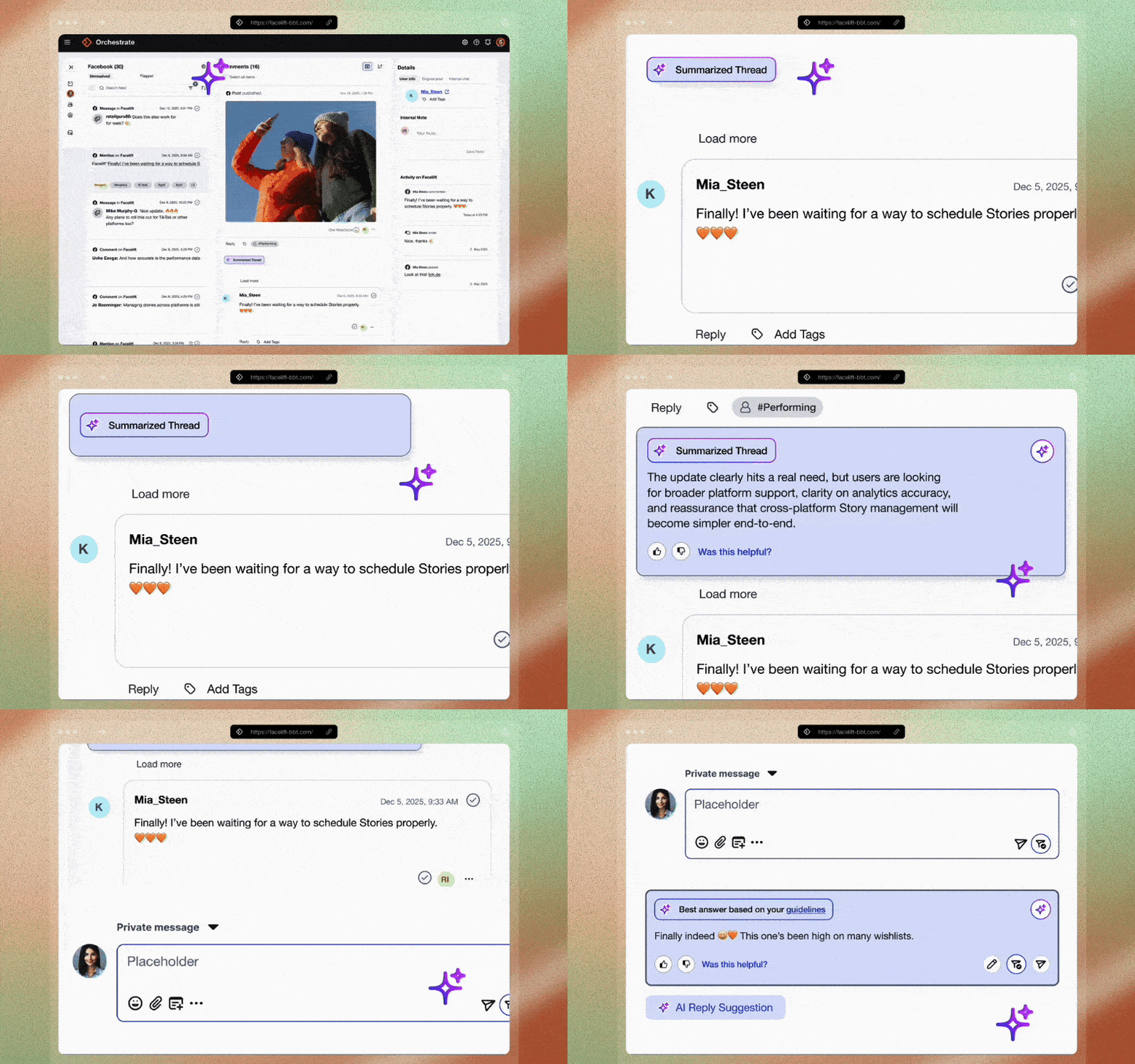
Engage introduces three new AI-powered features: AI Thread Summary, AI Automated Reply Suggestions, and AI Spam Detection, each designed to reduce manual effort in daily community management.
- AI Thread Summary instantly condenses long conversations into clear overviews, saving time and improving context understanding
- AI Automated Reply Suggestions help teams respond more quickly with high-quality, context-aware messages
- AI Spam Detection automatically filters out irrelevant or harmful content before it reaches your workflow
Together, these capabilities enable your teams to work smarter, stay focused, and elevate the quality of their interactions.
Smarter Inbox, Faster Workflows
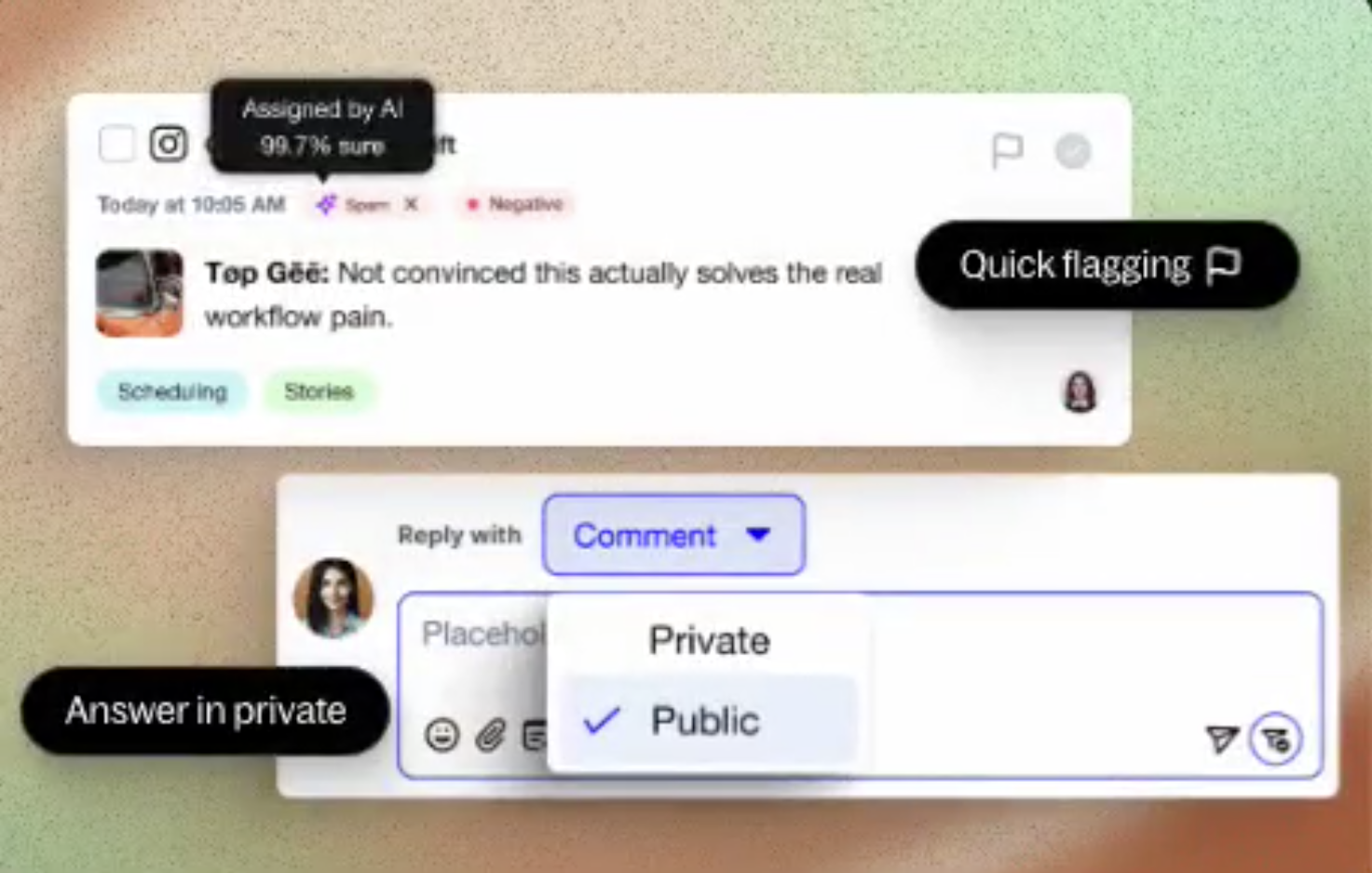
The inbox receives a set of focused workflow enhancements that make daily moderation faster, clearer, and more efficient. By reducing unnecessary clicks, improving visibility, and enabling smoother handling of both public and private conversations, the inbox becomes easier to navigate and better suited for high‑volume teams.
-
Quick Flagging: Moderators can now flag items instantly without opening additional views, allowing faster triage and prioritization.
-
Clear Owner Visibility: Each comment shows exactly who is responsible at a glance, improving teamwork and coordination across departments.
-
One‑Click Reply: Replying no longer requires multiple steps, a single click opens the reply composer immediately, speeding up routine interactions.
-
Improved Response Template Search: Templates can now be searched by both title and content, making it much easier to find the right message quickly.
-
Reply in Private: Community Managers can seamlessly switch from a public reply to a private message directly from the context column. This supports sensitive cases, allows for discreet follow‑up, and helps maintain conversation flow without breaking context.
New Bulk Actions

Engage supports three new bulk moderation features: Bulk Flagging, Bulk Sentiment Setting, and Bulk Spam Marking. These tools enable your teams to apply the same action to multiple comments simultaneously, significantly reducing repetitive manual work.
- Bulk Flagging helps teams quickly highlight items that need review
- Bulk Sentiment Setting ensures consistent classification across large batches
- Bulk Spam Marking removes low‑quality content in one sweep
The result: faster moderation, higher accuracy, and a more manageable workflow during periods of high activity.
Improved UI Experience
The interface receives a series of thoughtful design and UX upgrades that make daily work smoother, clearer, and easier on the eyes. By reorganizing action elements, reducing visual noise, and improving the structure of both the inbox and settings, the experience becomes more intuitive for Community Managers and more consistent across the platform.
-
Reorganized Context Column: Secondary actions (templates, emojis, additional options) are now placed in the lower‑left corner, making them accessible without interrupting the main workflow.
Primary actions like Send and Resolve are positioned directly inside the comment box on the right, giving users faster access to the actions they perform most. -
Cleaner, Calmer Interaction Layout: Subtle spacing, alignment, and visual hierarchy adjustments reduce strain and make scanning comments and actions easier and more comfortable.
-
AI Sentiment as a Tag: Instead of taking up space in the comment row, AI Sentiment is now displayed as a compact tag that keeps the interface cleaner while still delivering important context.
-
New AI Spam Detection Tag: Spam Detection is also shown as a tag, helping Community Managers quickly identify spammy or irrelevant messages without manual review.
-
Improved General Settings Layout: The settings interface is now more structured and intuitive, helping teams navigate configuration more easily and reducing setup confusion.
-
TikTok @mentions Support: TikTok joins Facebook, Instagram, and LinkedIn in supported @mentions, giving teams a more consistent cross‑channel configuration experience.
These improvements enhance usability, increase confidence across workflows and settings, and ultimately strengthen the overall platform experience.

.jpg?length=400&name=AutumnRelease-2026-ShareImage%20(1).jpg?quality=low)